This is the first blog post.
Background of the Project
When the Federal Reserve released its FOMC statement in March 2025, the policy rate remained unchanged. Yet within the same day, Treasury yields moved sharply, equity markets rallied, and expectations for future rate cuts shifted. Nothing in the headline decision had changed - but markets clearly believed they had learned something new. This reaction highlights a familiar but puzzling phenomenon: investors sometimes respond more to how the Fed speaks than to what it formally decides.
This raises an intriguing question. If market participants can read between the lines of FOMC communications - interpreting text as signals - can a machine do the same? Are there systematic textual patterns in FOMC statements or meeting minutes that foreshadow whether the next meeting will bring a rate hike, a cut, or no change at all?
This question is not only intellectually interesting but also economically important. Central bank communication has become a key policy tool, shaping market expectations well before any actual rate move occurs. For us, as finance and fintech students, this offers a compelling opportunity to bridge economic intuition with data-driven methods: transforming qualitative policy language into measurable signals. At the same time, from an investor's perspective, the ability to systematically interpret central bank tone matters because markets often react to subtle shifts in wording long before policy actions are formally taken. Understanding - and potentially automating - the interpretation of FOMC communication could therefore improve forecasting, reduce subjective bias, and provide new insights into how monetary policy expectations are formed.
Motivated by this idea, our project uses FOMC statements and meeting minutes to predict the stance of the next interest rate decision, classifying outcomes as Hike, Cut, or Hold based solely on textual information.
Data Collection
I have to admit that building a script to automatically fetch FOMC meeting minutes and policy statements directly from the Federal Reserve's official website has been both genuinely enjoyable and seriously challenging. After countless debugging sessions and continuous refinement, this text retrieval script has finally become mature, stable, and highly reusable. From the very beginning, I set clear goals: the script had to be extremely easy to use and highly reusable, so that any team member could run it without friction - even repeatedly over the long term, as the Fed continues to publish new minutes and statements. I therefore focused heavily on three main aspects:
1. Dead-simple operation + automatic full historical bulk download
The real breakthrough came with the core method get_historical_minute_dates(). It automatically loops through every year from 1993 to 2014, visits the corresponding historical page (fomchistoricalYYYY.htm), and extracts all available minute dates for that year. The whole process is wrapped in robust error handling - whether the page doesn't exist, there's a timeout, connection failure, or any other issue, it prints a clear message and gracefully moves on without crashing. Dates are deduplicated within each year using set, then globally deduplicated and sorted newest-to-oldest at the end.
def get_historical_minute_dates() -> List[str]:
    """Retrieve meeting minute dates from historical yearly pages (1993-2014)"""
    historical_dates = []
    for year in range(1993, 2015):  #  Loop through each year from 1993 to 2014 to automatically access the historical pages
        hist_url = f"{BASE_URL}/monetarypolicy/fomchistorical{year}.htm"  # Construct the URL: fomchistoricalYYYY.htm
        try:
            response = requests.get(hist_url, headers=HEADERS, timeout=20)
            if response.status_code != 200:
                print(f" {year} historical page does not exist, skipping")
                continue
            soup = BeautifulSoup(response.text, 'html.parser')
            year_dates = []
            for a in soup.find_all('a', href=True):  # Find all <a> links on the page
                href = a['href']
                if 'fomcminutes' in href and href.endswith('.htm'):  # Extract minute links (e.g., fomcminutes20140129.htm)
                    date_str = href.split('fomcminutes')[-1].replace('.htm', '')
                    if len(date_str) == 8 and date_str.isdigit():
                        year_dates.append(date_str)
            year_dates = sorted(set(year_dates), reverse=True)
            historical_dates.extend(year_dates)  # Add the dates for this year to the overall list
            print(f" {year} retrieved {len(year_dates)} dates")
            time.sleep(1)  # Polite delay between requests
        except Exception as e:
            print(f" Failed to retrieve {year}: {e}")
    print(f"Total historical dates (1993-2014): {len(historical_dates)}")
return sorted(set(historical_dates), reverse=True)
Before discovering this automated approach, I used to manually open the website year after year, browse schedules, and painstakingly copy every single date into a FALLBACK_DATES list. Every typo, new release, or small change meant going back online, verifying, updating the code, and re-running everything. That painful experience taught me an important lesson: great tools rarely start perfect - they often begin with the most tedious manual method and evolve through persistent, self-driven iteration.
2. Efficient incremental updates - never waste bandwidth or time
The script always checks whether a file already exists locally before attempting to download:
if os.path.exists(filepath):  # Check if the local file already exists
            print(f"Skipping (already exists): {filename}")
            skipped += 1
            continue  # Skip the current iteration; do not perform download or write operations

        try:
            print(f"Downloading: {date_str} → {filename}")
            response = requests.get(url, headers=HEADERS, timeout=20)
            # ... (status code check, parsing, text extraction, etc.)
            with open(filepath, 'w', encoding='utf-8-sig') as f:  # This block is only executed if the file does not exist
                f.write(clean_text)
            # ... (record successful download)
Only missing files are downloaded. This saves bandwidth, dramatically speeds up repeated runs, and completely prevents accidental overwrites - ideal for long-term, incremental usage.
3. Clear, human-friendly summary at the end
Every execution ends with an instantly understandable report:
print(f"\n=== Download Completed ===")
        print(f"Newly downloaded: {downloaded} files")
        print(f"Skipped (already exists): {skipped} files")
        print(f"Failed/no minutes available: {failed} files")
        print(f"Actual total files: {downloaded + skipped} files")
        print(f"Total dates processed: {len(minute_dates)} dates")
        print(f"Save path: {save_folder}")
After all this refinement, the script has transformed from merely "it works" into something elegant, maintainable, and genuinely team-friendly. I am confident it will serve as a strong, reliable foundation for all our future Federal Reserve text analysis projects.
Data preprocessing
Through automated data extraction, we obtained the original HTML documents of the Federal Open Market Committee (FOMC) policy statements and minutes from 2015 to 2025. These raw texts contained substantial noise, including navigation menus, footer information, and voting records. We firstly categorizing and purifying the documents: by parsing the HTML structure to precisely locate the main text and stripping away all irrelevant tags. Subsequently, we implemented targeted cleanups based on document types - for instance, removing standardized voting paragraphs from statements and identifying the starting points of core discussions in minutes - to ensure only coherent texts reflecting the essence of policy decisions remained. Specifically, statements and minutes share identical article structures. The same paragraphs can effectively isolate noise content at the beginning and end of the text. The code we use is as follows:
def clean_statement_text(text):
    """clean Statement"""
    if not text:
        return text

    # delete content before the first "share"
    share_pattern = re.compile(r'share', re.IGNORECASE)
    share_match = share_pattern.search(text)

    if share_match:
        text = text[share_match.end():]

    # delete the content after "Voting for the FOMC monetary policy action"
    vote_pattern = re.compile(r'Voting for the FOMC monetary policy action', re.IGNORECASE)
    vote_match = vote_pattern.search(text)

    if vote_match:
        text = text[:vote_match.start()]

    return text.strip()

def clean_minutes_text(text):
    """clean Minutes"""
    if not text:
        return text

    # delete the content after "Voting for this action"
    voting_pattern = re.compile(r'voting for this action', re.IGNORECASE)
    voting_match = voting_pattern.search(text)

    if voting_match:
        text = text[:voting_match.start()]

    # Try to find the start of the meeting minutes
    start_patterns = [
        r'review of monetary policy strategy, tools, and communications',
        r'developments in financial markets',
        r'staff review of the economic situation',
    ]

    for pattern in start_patterns:
        match = re.search(pattern, text, re.IGNORECASE)
        if match:
            text = text[match.start():]
            break

return text.strip()
Base on this foundation, we implemented systematic text standardization. Using natural language processing tools, we segmented continuous texts into independent sentences, standardized them to lowercase, and calculated basic metrics like word count and sentence count, laying the groundwork for subsequent quantitative analysis. These steps transformed the disorganized raw data into clean, structured textual corpus, converting it from "web documents" into a "policy research dataset" suitable for in-depth analysis. The code is as follows:
def process_text(text, doc_type):
    """Process text, including cleaning and NLTK sentence segmentation"""
    if not text:
        return "", []

    # Clean text by document type
    if doc_type == 'Statement':
        cleaned_text = clean_statement_text(text)
    elif doc_type == 'Minutes':
        cleaned_text = clean_minutes_text(text)
    else:
        cleaned_text = text

    # Use NLTK for sentence segmentation
    sentences = []
    if cleaned_text:
        try:
            sentences = sent_tokenize(cleaned_text)
        except:
            # If NLTK fails to perform word segmentation, use simple segmentation
            sentences = re.split(r'(?<=[.!?])\s+', cleaned_text)

return cleaned_text, sentences
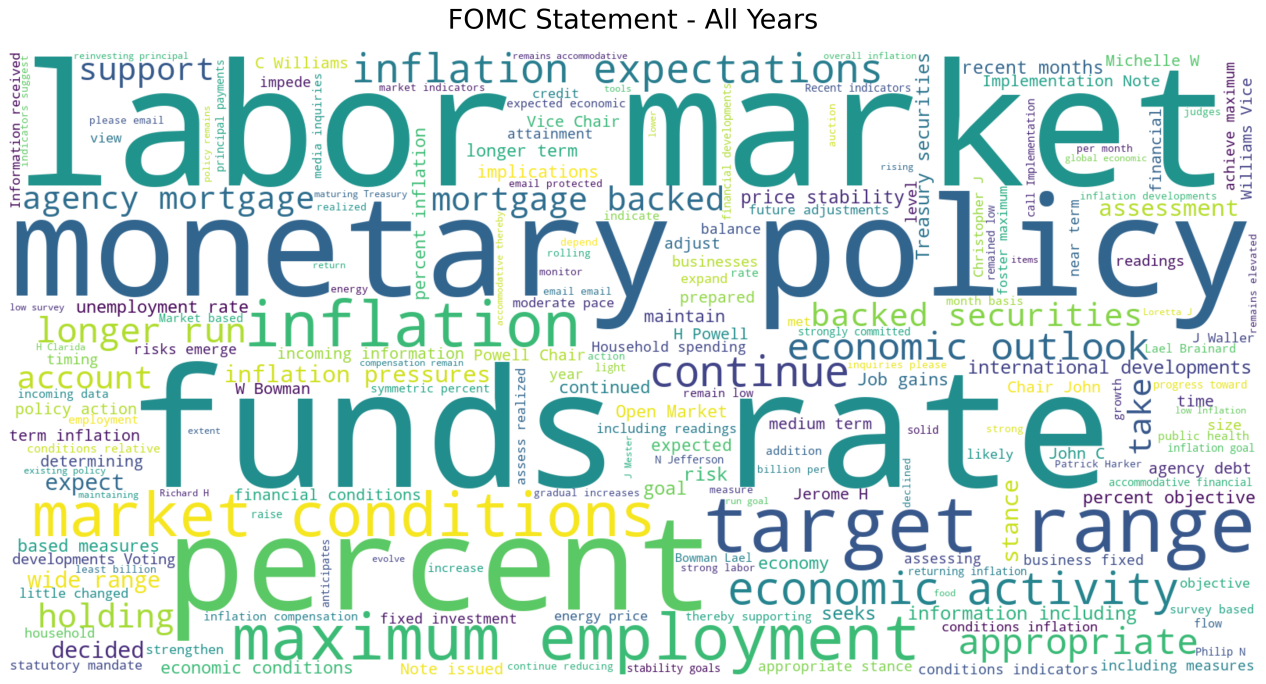
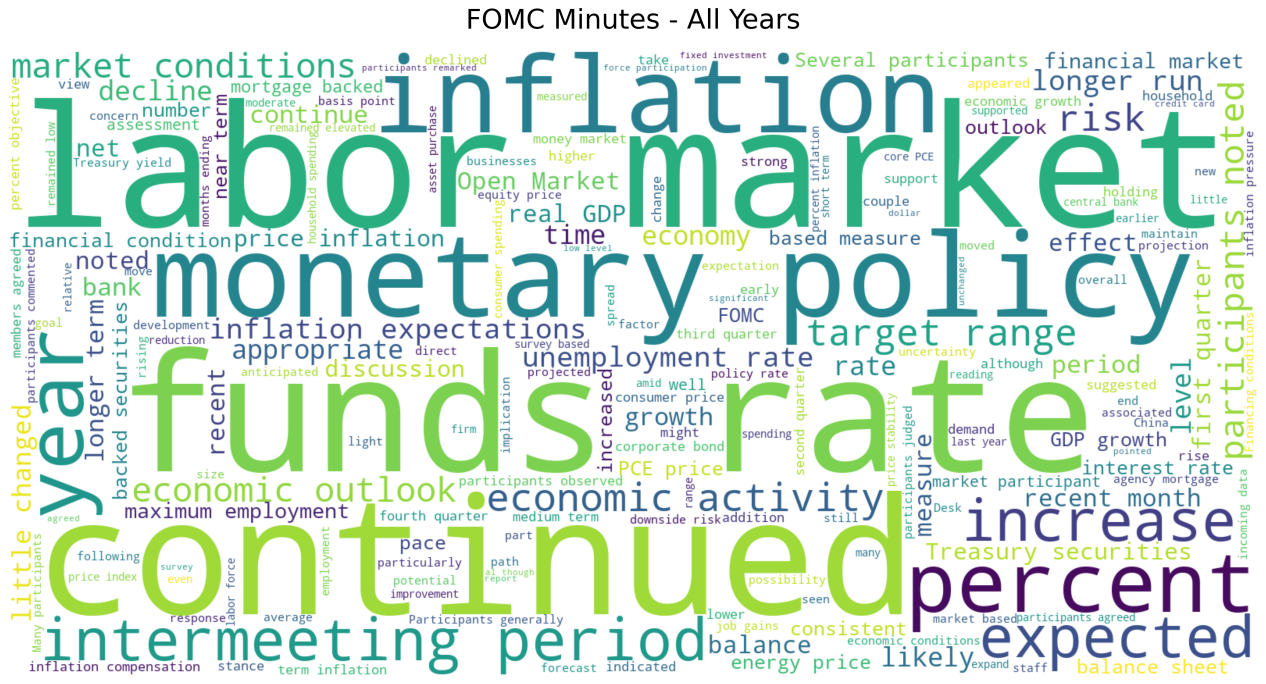
To visually reveal the text's core, we conducted thorough data preparation for the word cloud generation. The process focused on extracting meaningful vocabulary by merging generic and custom stopword lists, filtering out function words like "the" and "of," as well as institutional high-frequency terms such as "committee" and "meeting." We also established a vocabulary length threshold to retain only semantically significant terms. The code is as follows:
def generate_wordcloud(text, output_path, doc_type, date, mask_path=None):
    if not text or len(text.strip()) < 100:
        return

    # stop words
    stopwords = set(STOPWORDS)
    # Add NLTK stop words
    stopwords.update(set(nltk_stopwords.words('english')))
    # Add custom stop words (FOMC-related)
    custom_stopwords = {
        'federal', 'reserve', 'board', 'governors', 'committee', 'meeting',
        'january', 'february', 'march', 'april', 'may', 'june', 'july',
        'august', 'september', 'october', 'november', 'december', 's', 't',
        'would', 'could', 'also', 'may', 'us', 'u', 'mr', 'ms', 'mrs',
        'dr', 'prof', 'vs', 'inc', 'ltd', 'co', 'corp', 'llc', 'said'
    }
    stopwords.update(custom_stopwords)

    try:
        # Set word cloud parameters
        wordcloud_params = {
            'width': 1600,
            'height': 800,
            'background_color': 'white',
            'stopwords': stopwords,
            'max_words': 200,
            'contour_width': 3,
            'contour_color': 'steelblue'
        }

        # If a mask image is provided
        if mask_path and os.path.exists(mask_path):
            mask = np.array(Image.open(mask_path))
            wordcloud_params['mask'] = mask
            wordcloud_params['contour_width'] = 0

        # Generate word clouds
        wordcloud = WordCloud(**wordcloud_params).generate(text)

        # Create a shape
        plt.figure(figsize=(20, 10))
        plt.imshow(wordcloud, interpolation='bilinear')
        plt.axis('off')
        plt.title(f'FOMC {doc_type} - {date}', fontsize=24, pad=20)

        # Save image
        plt.savefig(output_path, dpi=300, bbox_inches='tight', facecolor='white')
        plt.close()

def analyze_word_frequencies(text, top_n=30):
    """Analyze word frequency""
    if not text:
        return []

    # Clean text and segment words
    words = re.findall(r'\b[a-zA-Z]{3,}\b', text.lower())

    # Remove disabled words
    stop_words = set(nltk_stopwords.words('english'))
    words = [word for word in words if word not in stop_words]

    # Calculate word frequency
    word_counts = Counter(words)

    # Get the top N most common words
return word_counts.most_common(top_n)
The preliminary word cloud highlights key terms like "inflation", "employment", and "policy", accurately capturing the dual mission and core concerns of the Federal Reserve's policy communication. This validates the effectiveness of the data processing workflow and paves the way for subsequent refined text analysis.
Conclusion and Future Plan
During this period of work, we have directly experienced the challenges of data preparation (illustrating why “NLP is 80% preprocessing").
-Defining the scope of the data and organizing formats have taken more time than expected. To obtain more textual samples, in addition to minutes data, we also crawled statements data. These documents are stored in different formats across multiple websites, which required multiple pieces of code to scrape and further adjustments to the collected data to make it suitable for subsequent processing.
-Web scraping must be carried out with great caution. The source websites all have defense mechanisms to block malicious attacks. Therefore, we added waiting times in the code to avoid crashing the site.
-We also found that using objective labels in data processing can eliminate many difficulties, making them suitable for initial model construction and avoiding the quality issues associated with subjective labels.
-Since further work has not yet been completed, we do not know whether the dataset needs further improvement, and we are prepared to repeat these steps if necessary. Overall, we feel great about our current dataset.
Looking ahead, our plans include:
-Aligning dates in the dataset, constructing subjective labels, and refining the dataset;
-Gradually building predictive models starting with word frequency analysis and ;
-Assess the robustness of textual signals across different types of Federal Reserve communications;
-Comparing different textual representations, such as dictionary-based measures and TF-IDF features, in terms of both predictive performance and interpretability.